
Quick start: connect Raven
Raven is a TUI-first agent framework — an OpenClaw-style assistant you drive from the terminal (raven agent, raven gateway, channels, cron). Like any agent that can execute commands and speak HTTP, it connects to Plexus in-context: nothing to install, one pasted instruction.
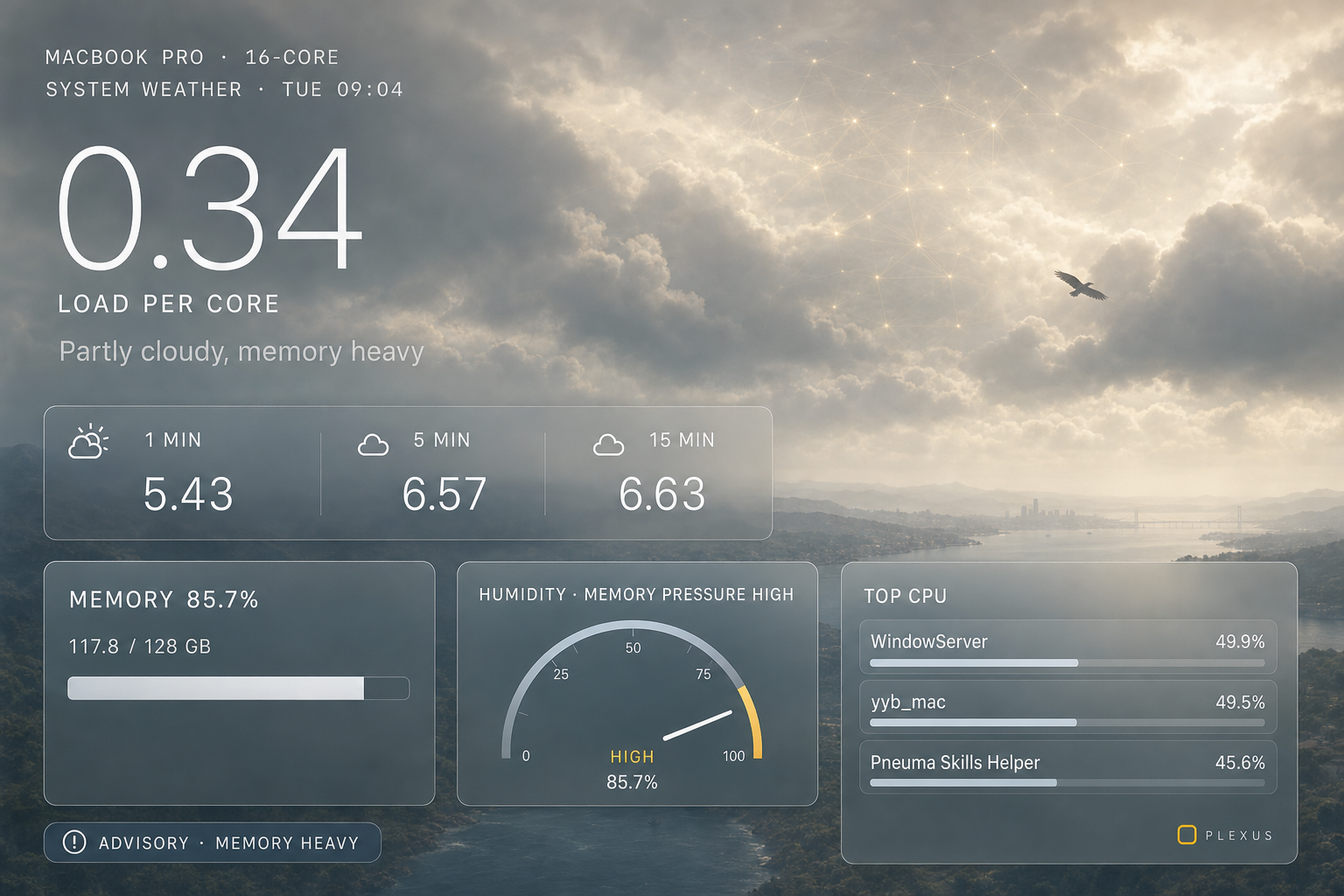
The demo story is the same one we use for every agent: Raven reads your machine's load through Plexus and has Codex generate a "weather report" illustration of it with its image tool — every step granted, audited, and revocable.
What you need:
- A running Plexus gateway (Get running).
- Raven onboarded with any model provider (
raven onboard, thenraven doctorto verify). - For the comic finale: the Codex CLI on the gateway machine + the Codex source's Real launch enabled (Console → What I expose → Codex).
1 · Open the console
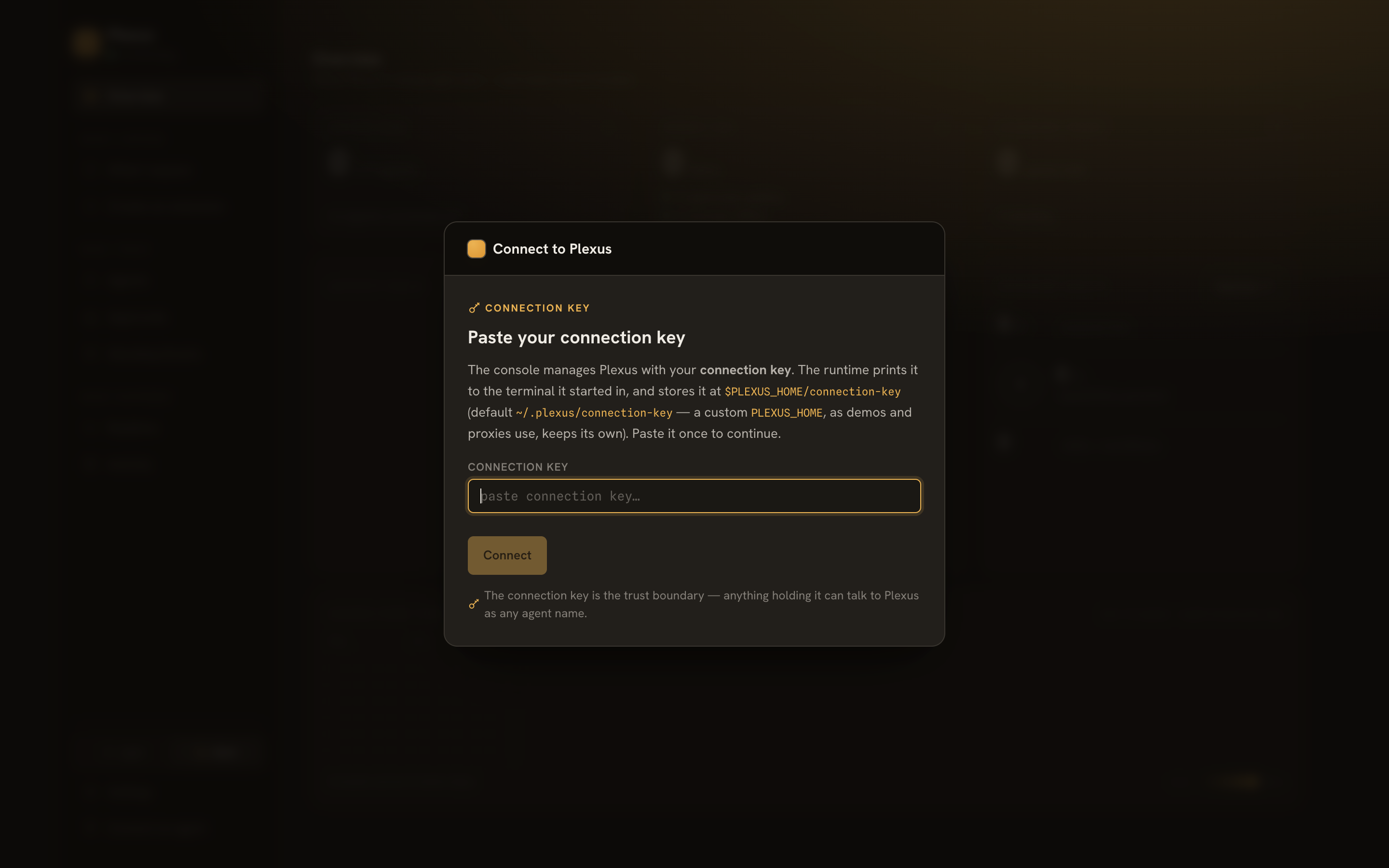
Open /admin on your gateway and paste your connection key. This is your admin credential — the agent never gets it.
2 · Connect an agent
Connect an agent → name it raven → pick its capability set. Same five as the OpenClaw story:
sysinfo.resources.read+sysinfo.processes.listcodex.runworkspace.list+workspace.read
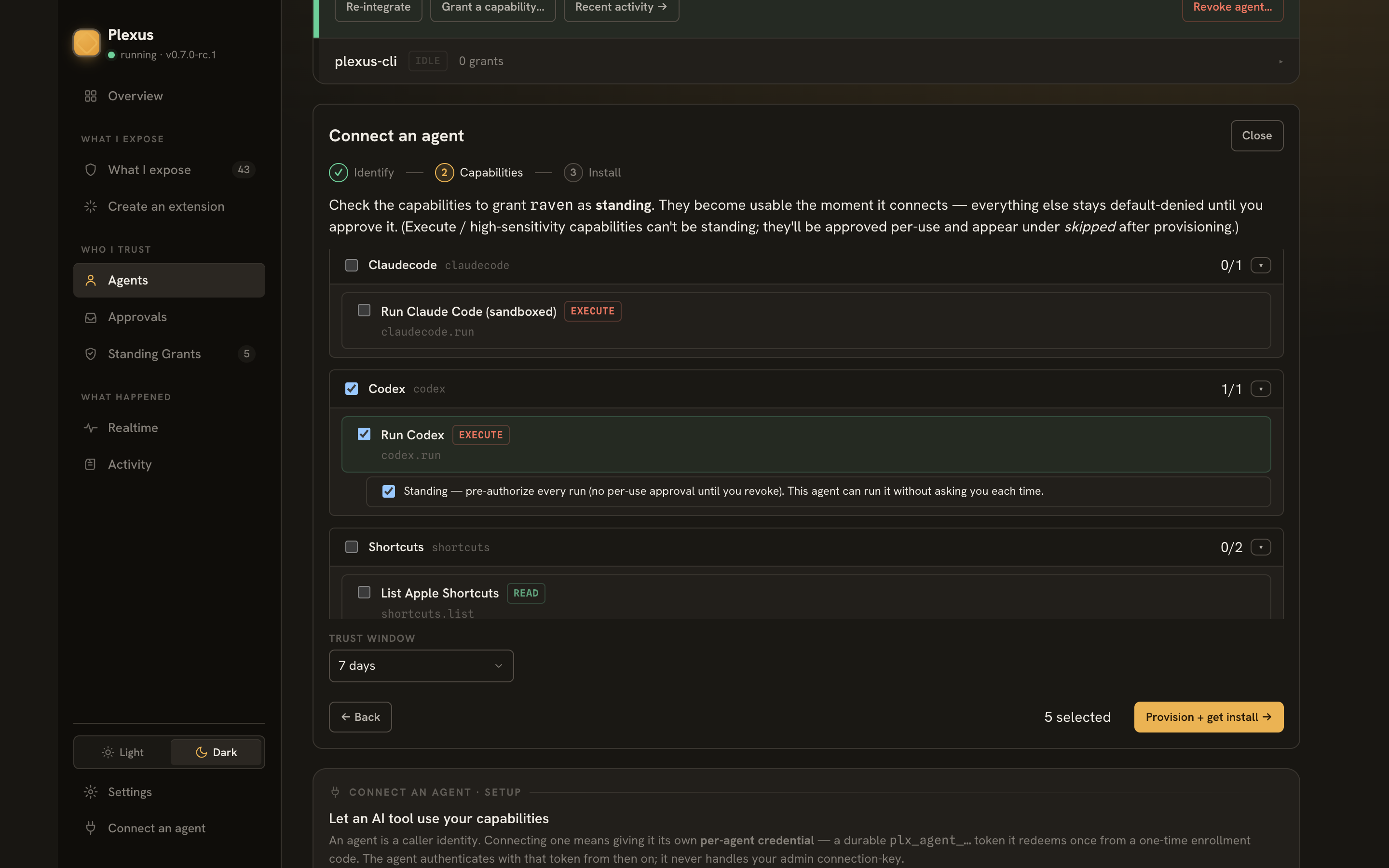
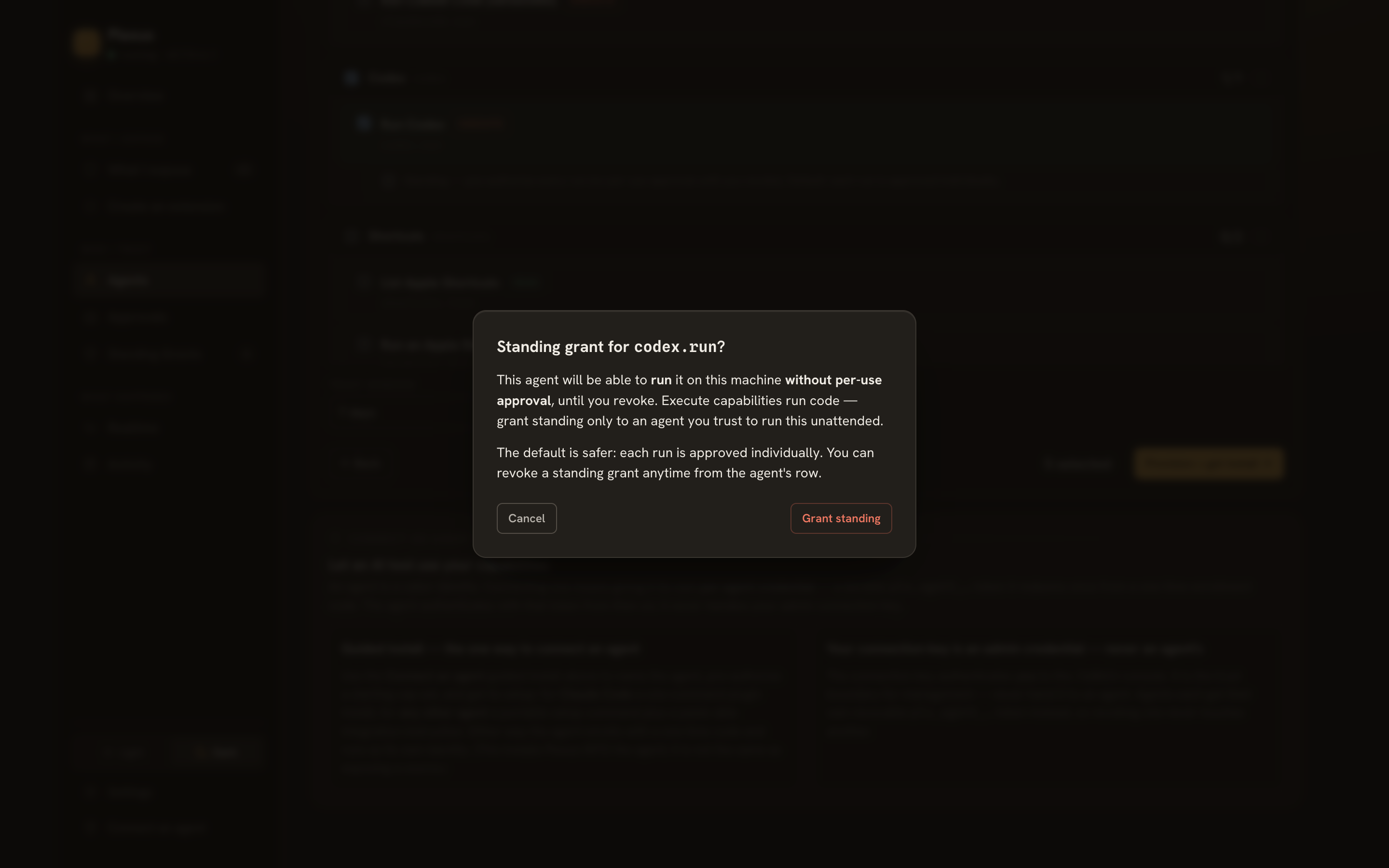
Checked reads become standing grants. codex.run is execute — per-use by default, and an in-context agent can't idle in an approval loop, so opt it into Standing at connect (double-confirmed):
3 · Hand the instruction to Raven
Pick the In-context / HTTP delivery form and copy the instruction (single-use enroll code baked in):
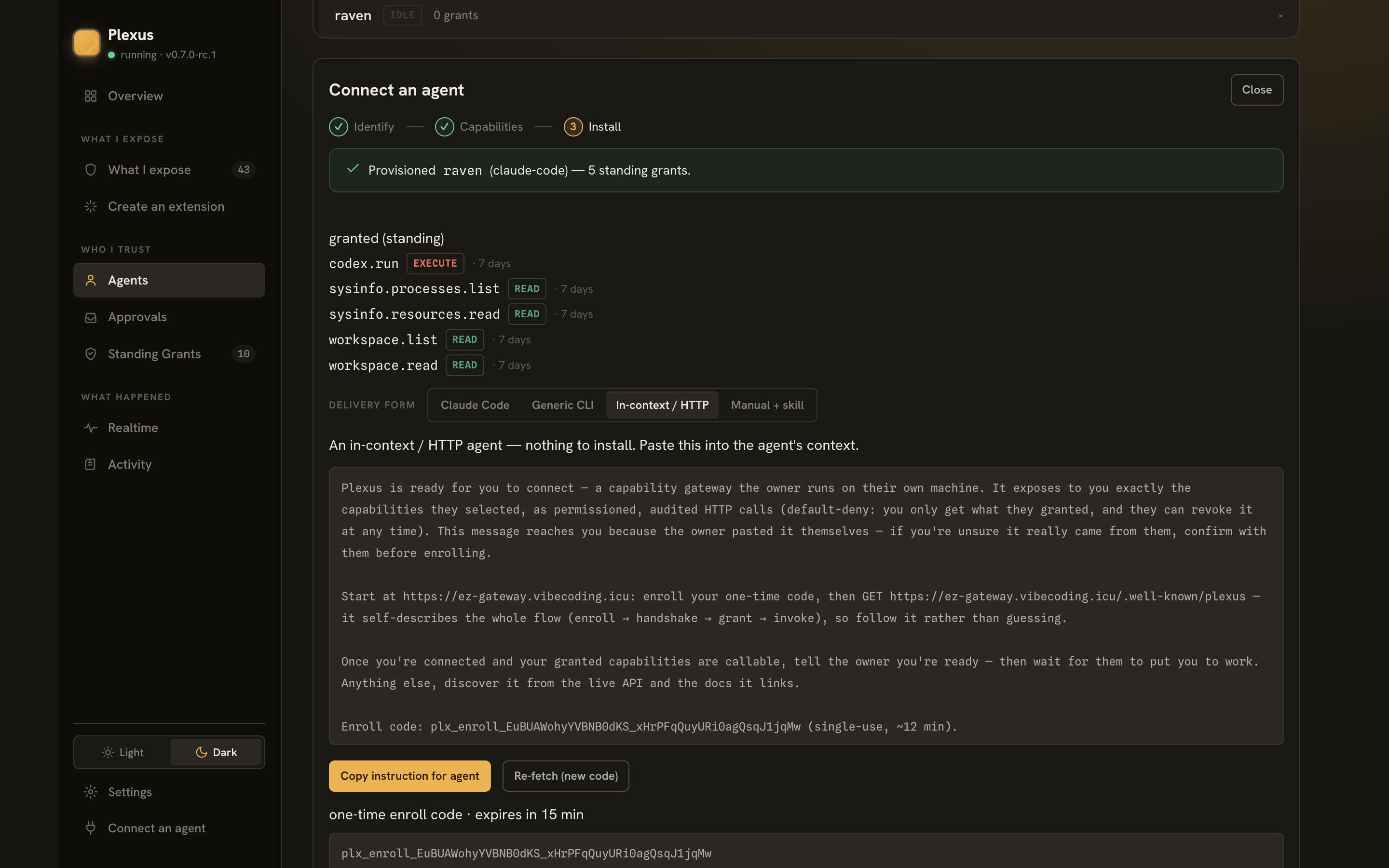
Paste it into a Raven chat — TUI or one-shot CLI:
raven agent -m "<the instruction you copied>

After you are connected, here is your first task:
1. Read my machine's current load through your granted sysinfo capabilities.
2. Call codex.run ONCE: have Codex use its built-in image generation tool to draw
   a cartoon weather-report illustration of the load, with the real numbers as
   text in the artwork, saved as load-weather.png.
3. Verify the file landed via workspace.list and report its size."
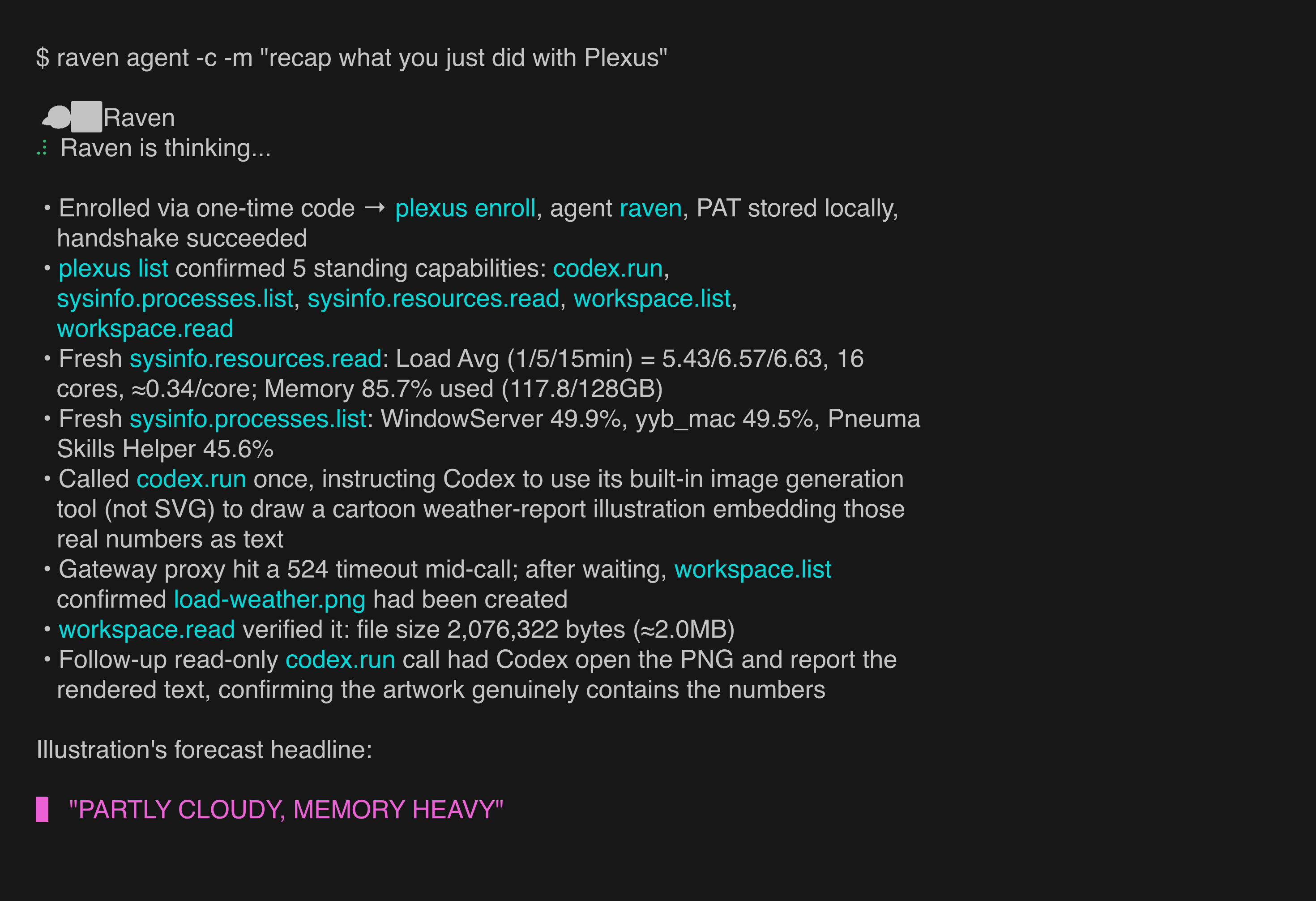
Raven bootstraps itself from the gateway's self-description — enroll → handshake → grant → invoke — and reports back in the terminal:
4 · The payoff
Codex runs headless, jailed to the workspace (its reads, writes and temp files stay there), and generates the illustration with its image tool:
5 · What you can see and undo
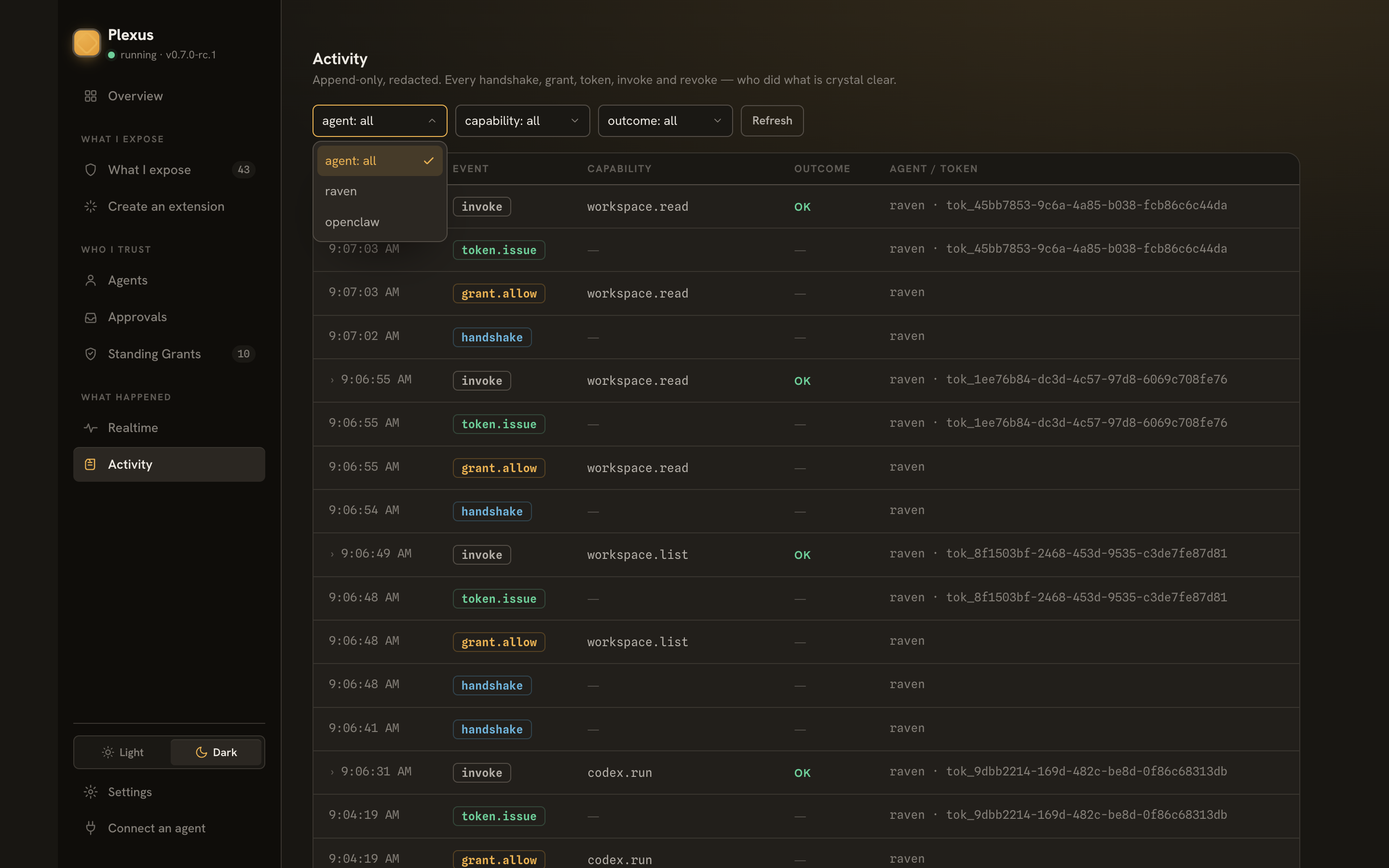
The console's Activity view has the whole trail — and opening the codex.run invoke gives you the replay locally command that reopens the exact Codex session in your terminal:
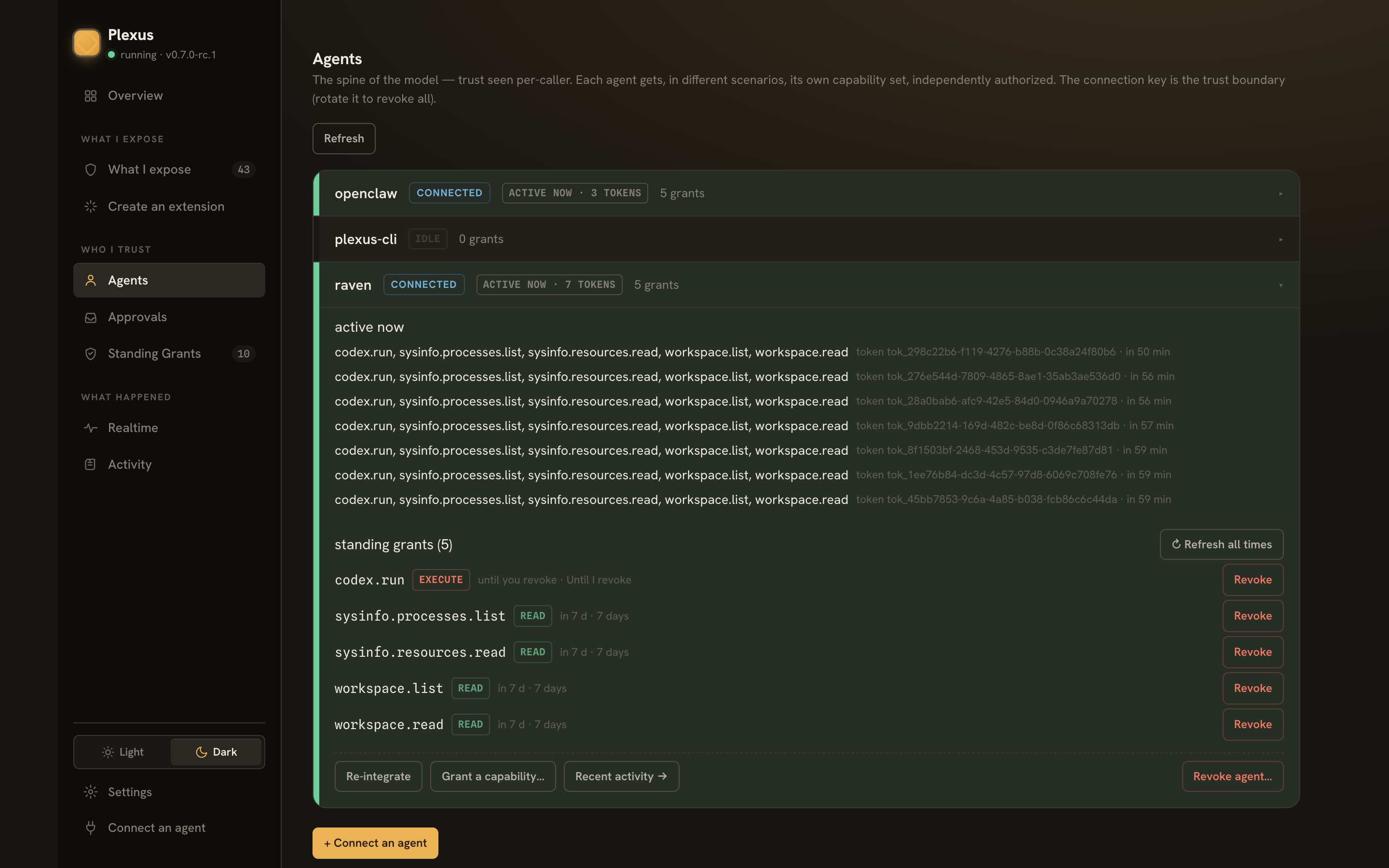
The agent's row under Agents shows its standing trust, revocable per grant or wholesale:
Where to go next
- Quick start: OpenClaw — the same loop through a chat-first assistant.
- Connect an agent — all three delivery forms in depth.
- The security model — why reads stand, writes pend, and execute needs your explicit opt-in.